 Jsolator
Play any song. Pull it apart.
Jsolator is a free Mac app that plays your music and splits any song into vocals, drums, bass, guitar and piano. Everything runs on your own Mac.
Download for Mac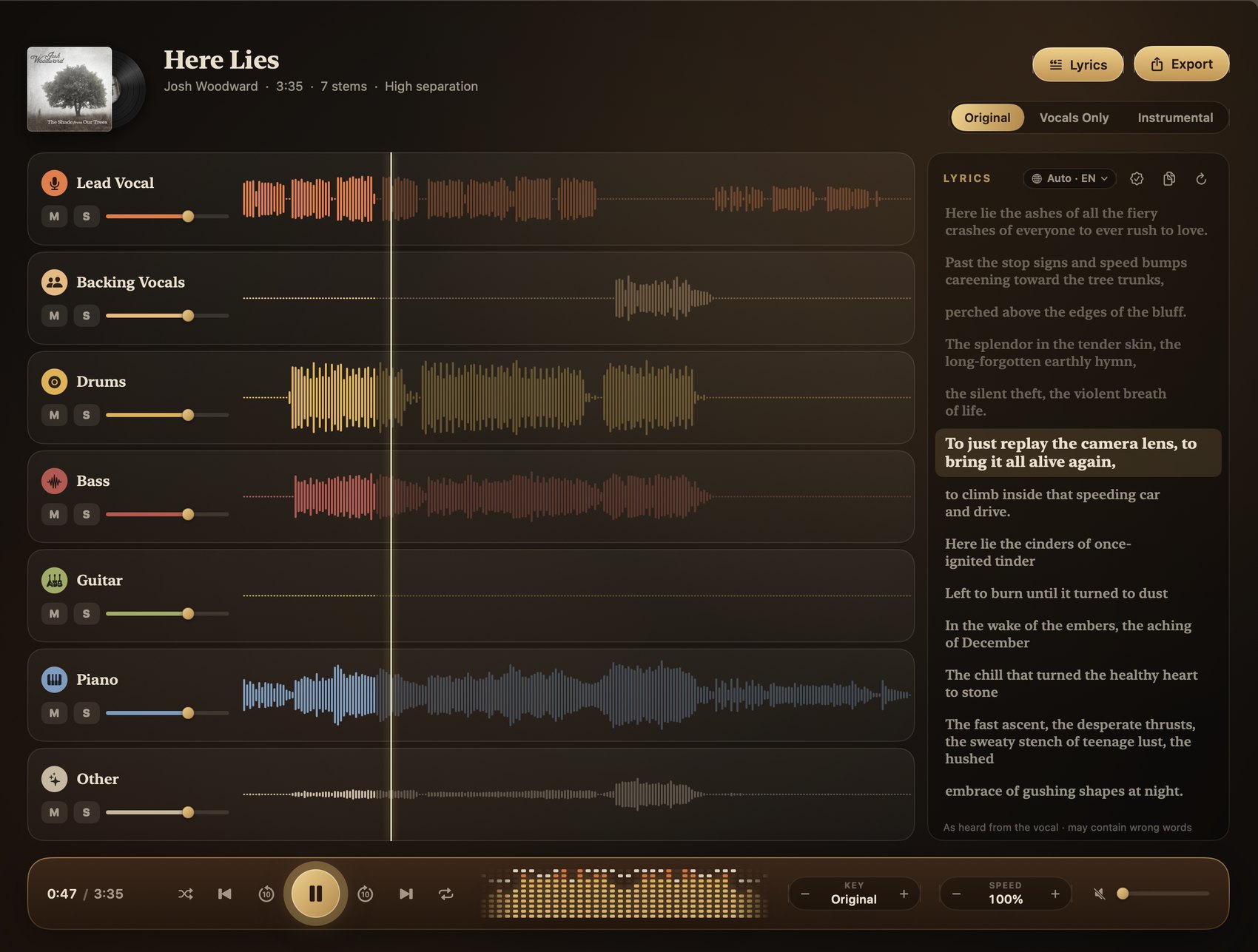
A record player that can take the band apart
Listen first. When you want the vocal on its own, or the song without it, one button splits it.
Studio-grade splitting
Vocals and instrumental, or the full band: lead and backing vocals, drums, bass, guitar, piano and the rest. Each on its own fader, with mute and solo.
Private by design
Splitting happens on your Mac's own chip. Your music is never uploaded anywhere.
Change key and speed
Shift a song up or down by semitones, slow it down to learn a part, and export it that way.
Lyrics, key, tempo, chords
Timed lyrics follow the singing. The key, tempo and chords are worked out for you.
Playlists and favourites
Keep the songs you practise in playlists, mark favourites, and let the library play through.
Export anything
Save any stem, or your own mix of them, as WAV, FLAC or M4A.
It is a music player too
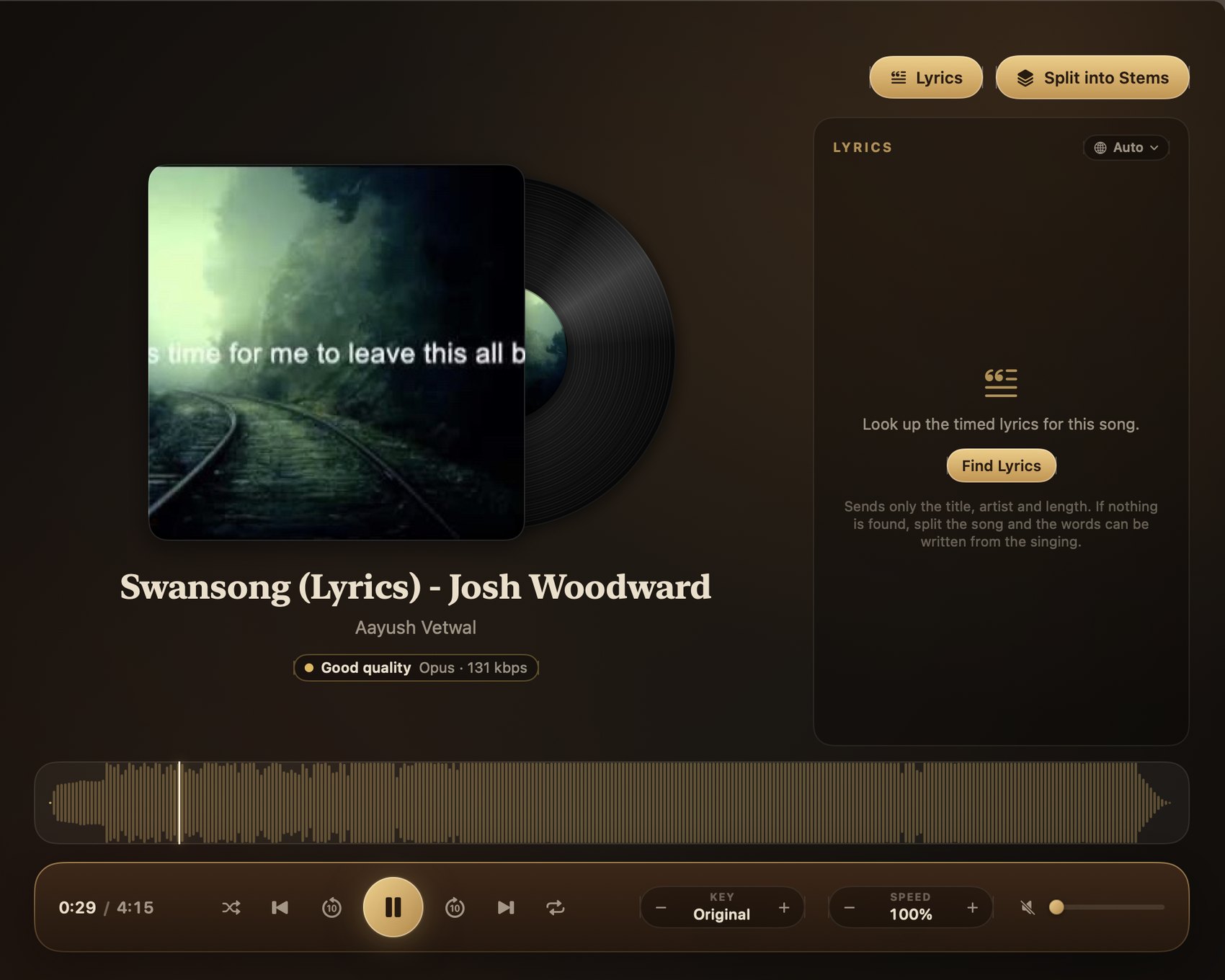
Drop in a file or search for a song and it plays straight away, with a waveform to jump around in, timed lyrics and a play bar that moves with the music. Split it later, or never.
Up and running in a minute
The download is small. The separation model (about 700 MB) is fetched once, the first time you split a song.
- Download and open Jsolator.dmg, then drag Jsolator into your Applications folder.
- Open Jsolator. The first time, macOS may say it can't verify the app. If it does, open System Settings → Privacy & Security, scroll down and click Open Anyway. You only do this once.
- Add a song and press play. Click Split into Stems whenever you want it taken apart.
Good to know
Is it really free?
Yes. Jsolator is free to download and use while it is in testing.
Which Macs does it run on?
Macs with Apple Silicon (M1, M2, M3, M4 or newer) on macOS 14 or later. 16 GB of memory is comfortable; 8 GB works in the app's low-memory mode. Intel Macs are not supported.
How long does a split take?
On a recent Mac, about half a minute for a four-minute song at Fast quality, about a minute at High, and around three minutes at Studio quality.
How do I get updates?
Jsolator checks this site for a new version and offers it in the app. One click downloads it, checks that it really comes from us, and reopens the app on the new version.
Does my music leave my Mac?
No. Splitting, lyrics from the vocal, key and chord detection all run on your Mac. Looking up lyrics online sends only the song's title, artist and length.
What can I use it with?
Music you own or have the right to use. Please respect the rights of artists and the terms of any service you take music from.